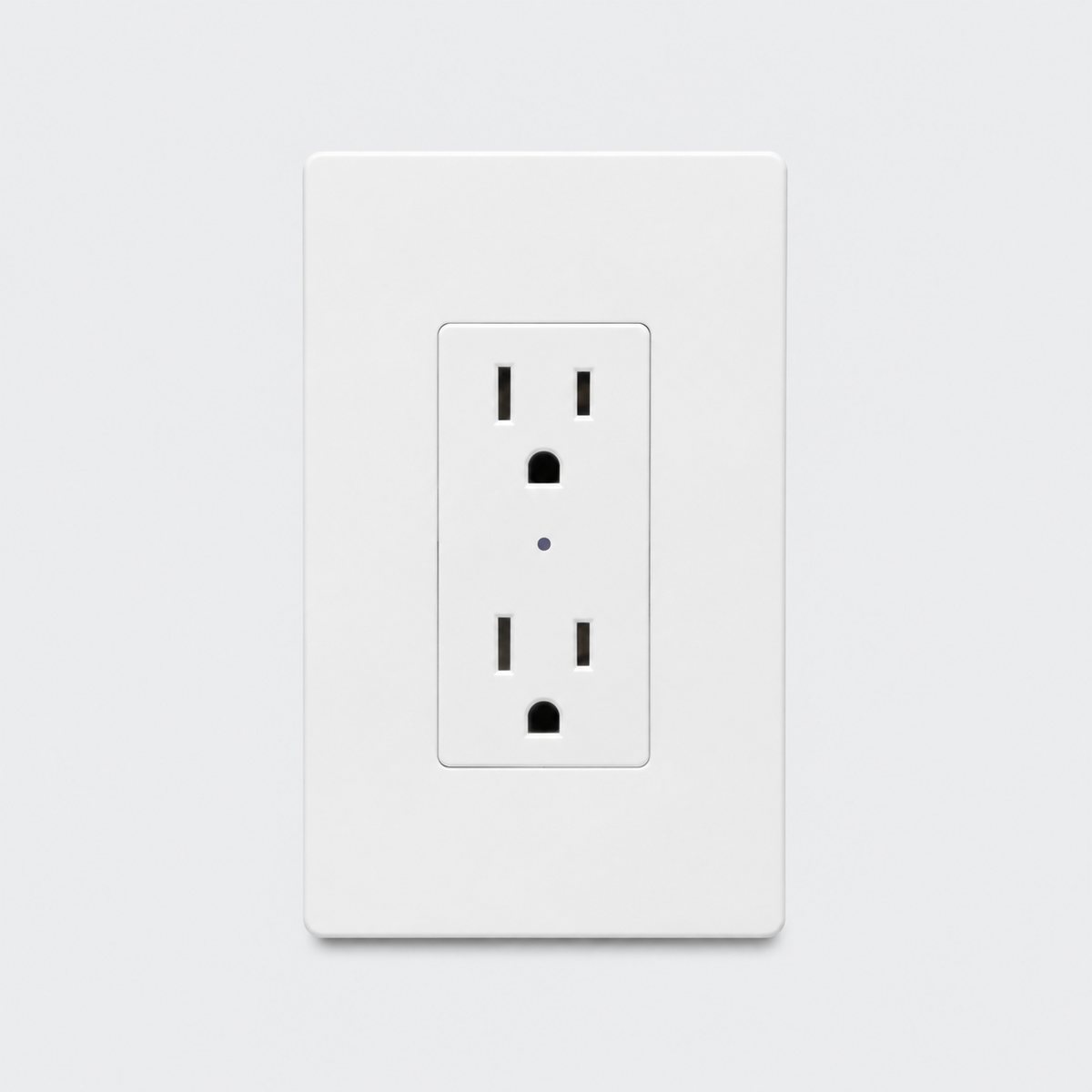
"Smart switch" and "smart socket" get used interchangeably in a lot of first-draft RFQs, but they solve different problems and sit in different places in a BOM. A switch controls a fixed load — lighting, a fan, a curtain motor — that is wired into the wall. A socket controls whatever the end user plugs into it, which the factory and the buyer both have zero control over. That distinction drives certification scope, load assumptions and even which room a product line gets specified for. Getting the two mixed up in a resale catalogue creates support tickets that trace back to a spec sheet, not a defect.
What each product actually does
- Smart wall switch: Wired in-line with a fixed load (lighting circuit, fan, curtain motor). No plug interface. Sample SKU: PL-SW-T3-WIFI-86.
- In-wall smart socket: Provides a standard plug outlet (region-specific: US/EU/UK pin pattern) with smart on/off and often metering. The load is whatever the tenant plugs in — a lamp, a kettle, a fan, a phone charger. Sample SKU: PL-SK-IW-US.
- Curtain / motor module: A specialised switch variant for a known inductive load, not a general socket. Sample SKU: PL-CT-MOD-WIFI.
Why the load assumption changes everything
A switch's factory-side engineering can assume the connected load, because the installer wired it to a known fixture. A socket cannot make that assumption — the end user could plug in a resistive heater, an inductive motor, a switching power supply, or several devices on a splitter. This is why sockets are typically built with more conservative current ratings, sometimes with metering to flag abnormal draw, and why the certification narrative for a socket usually references the plug standard for the destination market (e.g. NEMA for the US, BS 1363 for the UK) rather than only the switch's own internal wiring.
| Dimension | Smart switch | Smart socket |
|---|---|---|
| Load | Fixed, known at install (lighting, motor) | Unknown — whatever gets plugged in |
| Wiring | Hard-wired into a back box, needs live (+/- neutral) | Hard-wired into a back box, exposes a plug face |
| Typical room fit | Living room, bedroom, corridor lighting control | Bedside table, desk, kitchen counter |
| Retrofit friction | Replaces existing switch plate directly | Replaces existing socket plate directly |
| Cert emphasis | Relay/load rating, RF module | Plug standard, overcurrent/metering, RF module |
Where buyers actually mix them up
The most common error we see on incoming RFQs is a hotel or apartment resale programme asking for "smart switches for every room" when what the floor plan actually needs is a mix — switches for ceiling and wall lighting, sockets for bedside and desk positions. Treating the whole floor as one SKU forces either over-speccing every position with switch-only hardware (leaving guests unable to smart-control a lamp they plug in) or under-speccing sockets into positions that actually control fixed lighting. A short walk-through of the floor plan before quoting avoids this — see our solutions by scenario page for typical hotel and apartment device counts per room type.
Certification and RF module overlap
Both product lines can share the same Wi‑Fi or Zigbee radio module and even the same app ecosystem (Tuya-class stacks are common to both, see our catalogue), but the enclosure, plug face and load path are certified separately. Do not assume a switch's certification report covers a socket variant just because the radio module is identical — ask the factory for the specific report tied to the SKU you are quoting, and confirm scope on our certifications page before final BOM sign-off.
Finish and gang-count consistency matters more than buyers expect
Once a floor plan mixes switch and socket positions in the same rooms, plate finish and gang-count consistency becomes a visible detail to guests or tenants, not just a technical spec. A glass-panel switch line paired with a mismatched plastic socket faceplate in the same room reads as an inconsistent build to anyone who notices, even if both products function correctly. Buyers running a hotel or serviced-apartment programme should request switch and socket lines from families designed to share a finish and frame style, or at minimum confirm side-by-side samples before a full-floor order, rather than discovering the mismatch after installation.
Metering and load monitoring on sockets
Because a socket's load is unknown at design time, some smart socket lines add basic current or energy metering as a way to give the buyer visibility into what is actually being drawn — useful for hotels wanting to flag an unusually high-draw appliance being plugged in, or for landlords wanting usage data for shared-cost billing. This is a socket-specific feature that rarely appears on switch lines, since a switch's load is already known and fixed. If metering matters to the programme, confirm it explicitly — not every socket SKU in a catalogue includes it, and it is easy to assume "smart" implies metering when it does not.
What to write in the RFQ
- Room-by-room device list split explicitly into "switch positions" and "socket positions" — do not leave this to the factory to infer.
- Plug standard required for socket lines (US/EU/UK/AU etc.) — this is a hard regional constraint, not a preference.
- Metering requirement, if any, for socket lines.
- Whether switch and socket lines need to share one app/ecosystem for a unified guest or tenant experience.
- Gang count and plate finish consistency across both product families, if they will sit in the same room.
Mixing switches and sockets on one floor plan?
Share your room list and our trading desk will map it to switch and socket SKUs with matching finishes and one consistent app path.
Start RFQ