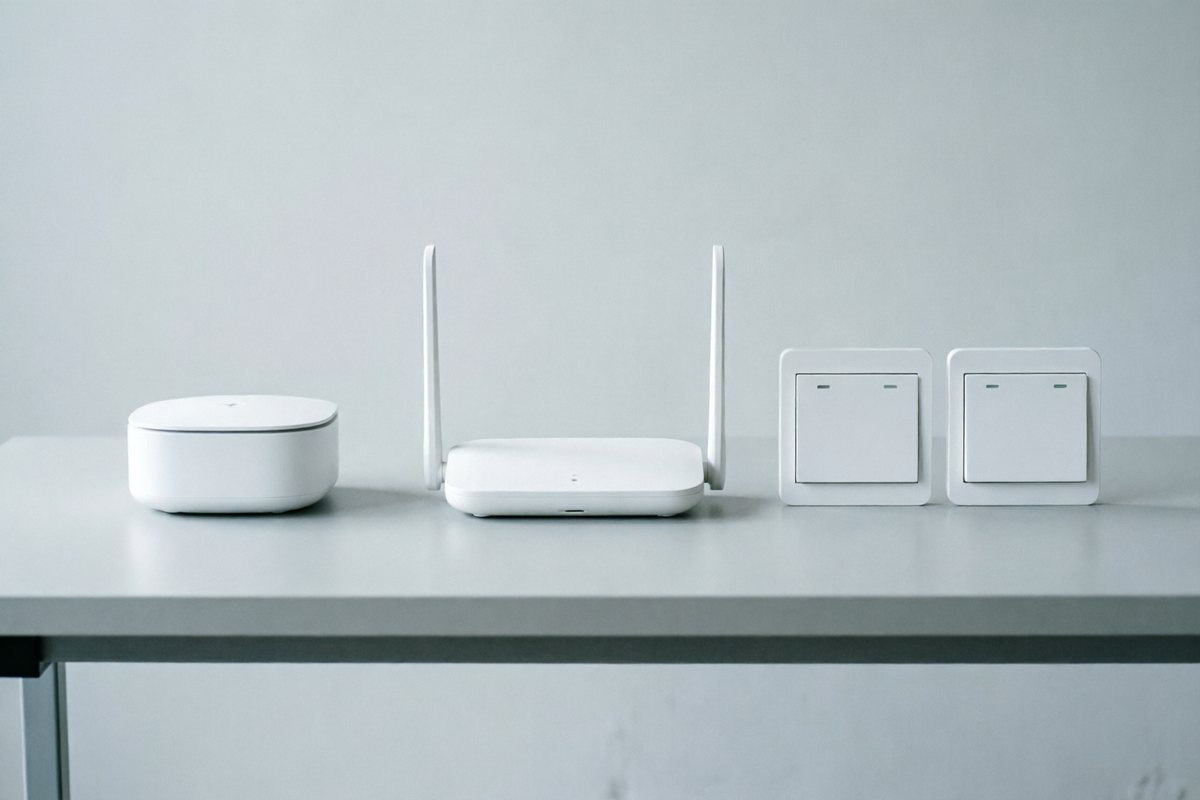
Both Wi‑Fi and Zigbee can drive a glass touch switch. The wrong choice shows up as support tickets: devices offline on congested 2.4 GHz, or a hotel floor with no hub plan. This comparison is for B2B buyers writing RFQs, not for DIY blogs — the goal is to pick the network model that matches install density, hub tolerance and after-sales load for a specific project, not to declare one protocol universally "better".
Wi‑Fi — hub-free, cloud-first
- Pros: No gateway SKU; simple for small residential packs; easy Alexa/Google path via Tuya-class stacks.
- Cons: Depends on 2.4 GHz coverage at each box; more cloud dependency; dense buildings can saturate SSIDs.
- Sample SKU: PL-SW-T3-WIFI-86
Zigbee — mesh, needs a gateway
- Pros: Better multi-device rooms; lower per-device radio load on the home router; common in sensor-heavy packs.
- Cons: Must quote gateway (e.g. sample PL-GW-ZB-MTR); pairing discipline for installers; ecosystem lock-in risk.
Where each protocol actually stands in 2026
Zigbee has the longer commercial track record: more than 3,500 certified products are in market, ahead of Matter's device count, which is one reason many hospitality and multi-sensor projects still specify Zigbee mesh over a single Wi‑Fi network. Matter — the newer cross-ecosystem layer that both Wi‑Fi and Zigbee devices can sit behind — has passed 4,000+ certified devices as of 2026, with version 1.6 released in June 2026 and support from Apple, Google, Amazon and Samsung, covering more than 95% of the voice-assistant market between them. Certifying one device family under Matter is an 8–12 week process costing roughly USD 15,000–30,000, a cost factories typically spread across a product family rather than a single SKU. A parallel Zigbee revision, Zigbee 4.0 with sub-GHz/SUZI support, is expected in the second half of 2026. For a buyer, the practical takeaway is unchanged by any of these numbers: confirm which exact protocol revision is on the module you are sampling, in writing, rather than accepting "Matter-ready" or "Zigbee compatible" as a label.
Total support load, not just unit price
Unit price comparisons between Wi‑Fi and Zigbee SKUs miss the real cost driver, which is after-sales support load. A Wi‑Fi-only deployment in a steel-frame building or a hotel with many concrete walls can generate a disproportionate number of "device offline" tickets if no site survey was done before the order. A Zigbee deployment removes most of that risk but adds a gateway SKU, a pairing procedure installers must follow correctly, and a dependency on that gateway's firmware. Neither failure mode is fixed by the switch itself — both are fixed by matching the protocol to the building and putting the decision in the RFQ rather than leaving it to the installer on site. Buyers occasionally try to hedge by mixing both protocols across a single project "in case one underperforms" — in practice this usually creates two support playbooks instead of reducing risk, and is only worth doing when floors or unit types genuinely differ in density or wall construction, not as a general-purpose hedge.
Installation and pairing workflow differences
The two protocols create different jobs for the installer, not just different jobs for the network. A Wi‑Fi switch usually needs its own network credentials entered at pairing time and a cloud account binding per device — straightforward for a handful of units, but repetitive at scale unless the factory supports batch pairing tools. A Zigbee switch pairs to a local coordinator instead of the building's Wi‑Fi network, so credentials are not repeated per device; once the gateway is commissioned, adding switches is usually faster, but the installer now has one more piece of hardware that must be powered, positioned for mesh coverage, and commissioned correctly before any switch will work. Projects that under-budget installer training time on the gateway step are a common source of first-week support calls on Zigbee rollouts.
Firmware updates and long-term maintenance
Wi‑Fi switches typically receive firmware updates directly over the internet connection each device already has, which is simple but means every device individually depends on its own Wi‑Fi link being stable at update time. Zigbee devices usually receive updates relayed through the gateway across the mesh, which can reach devices with a weaker direct signal path but makes the gateway's own firmware and connectivity a single point that the whole mesh depends on. Neither model is inherently safer — both make the case for asking the factory how OTA updates are delivered and how failures are recovered, before signing off a large rollout.
Quick decision table
| Scenario | Lean Wi‑Fi | Lean Zigbee |
|---|---|---|
| Apartment resale packs, few devices | Yes | Optional |
| Hotel / multi-sensor room | Only if proven Wi‑Fi design | Often better |
| Buyer refuses hubs | Default | Hard sell |
| Future Matter roadmap | Confirm module revision | Confirm bridge/endpoint path |
| Dense multi-unit building, congested 2.4GHz | Needs site survey first | Generally more resilient |
| Retrofit with no spare gateway budget | Default | Add gateway cost to BOM |
What to write in the RFQ
Protocol · whether gateway is in scope · app brand · density (devices per room / floor) · Wi‑Fi survey available or not · whether Matter support is required for this family and, if so, which bridge path (Wi‑Fi Matter vs Zigbee-to-Matter bridge). See also Protocols page.
Need both lines in one shipment?
Trading desks can mix Wi‑Fi switches and Zigbee sensors if the BOM and packing lists stay clear — state both in one RFQ.
Start RFQ