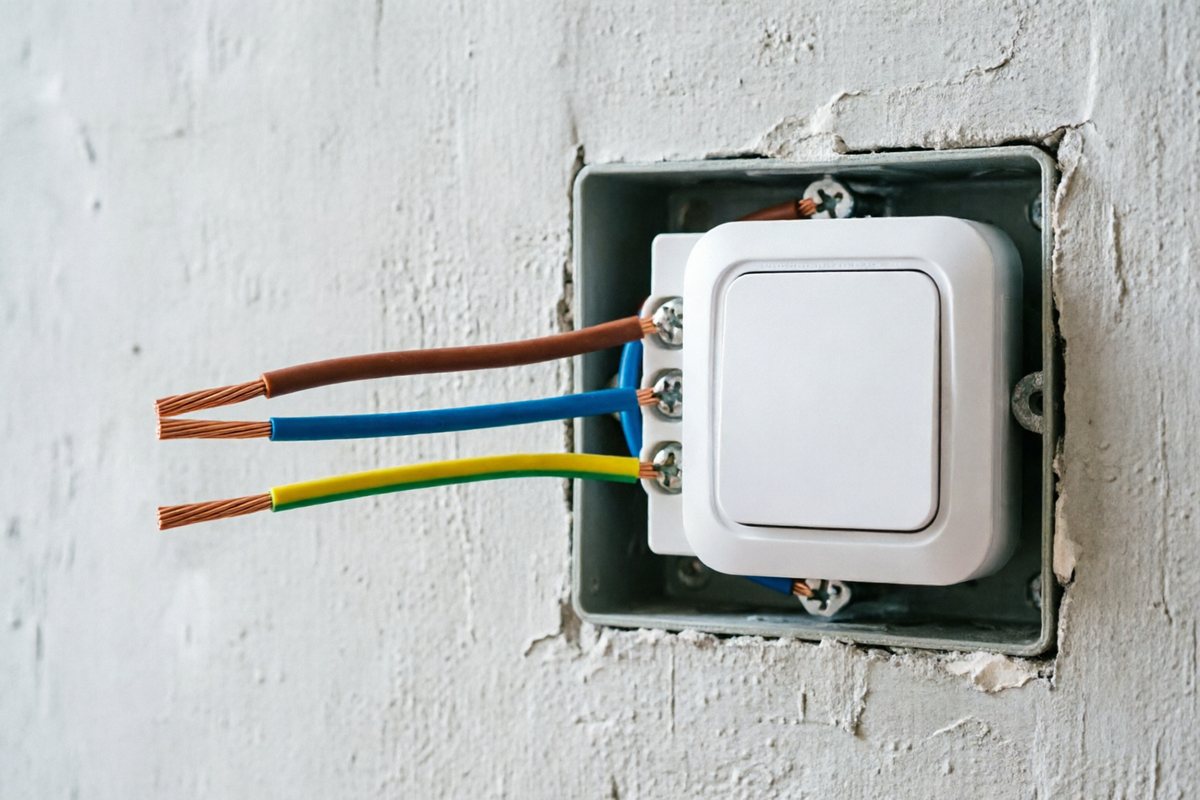
Many retrofit boxes have only a live conductor at the switch. Factories therefore offer no-neutral (single live) modules. They work — until the LED load is too small, the bypass is missing, or the market expects always-on status LEDs. Buyers should treat wiring as a first-class RFQ field, not a footnote, because the wiring decision affects module cost, LED compatibility and the volume of after-sales tickets more than almost any other single spec line.
Why smart switches care about neutral more than mechanical ones
A mechanical switch simply breaks the live conductor — no power is needed at the switch itself when the load is off. A smart switch is different: its radio module, MCU and backlight need a small standby current even while the load is switched off, so they can stay connected and respond to a command. With a neutral wire present, the module can draw that standby current cleanly between live and neutral. Without a neutral, the module has to draw a tiny leakage current through the load itself — invisible on a resistive lamp, but capable of causing a faint glow, flicker, or buzzing on some LED bulbs, especially low-wattage or non-dimmable ones.
Neutral preferred
- Stable power for the radio module and backlight
- Better behaviour with low-wattage LED lamps
- Default recommendation for new apartment fit-out
- Fewer after-sales tickets related to flicker or a faint glow in the dark
No-neutral (single live)
- Useful for retrofit where pulling N is impossible
- May need minimum load or capacitor bypass on some LEDs
- Higher risk of glow/flicker — document lamp brand/wattage
- Sometimes needs a small bypass module wired in parallel with the lamp to give the switch a return path
Retrofit strategies when neutral truly is not available
Where a building's original wiring only ever pulled a switched live to the box — more common in older housing stock across parts of Europe and the UK, versus markets like North America and much of new-build China where a neutral at the switch is more standard — buyers have a few practical paths rather than one universal fix:
- Confirm with the factory whether the module has a built-in minimum-load workaround, and what that minimum load is for the specific LED driver in use.
- Ask whether a small in-line bypass capacitor is supported and supplied, and where it needs to sit (usually inside the lamp fitting, not the switch box).
- Where the renovation scope allows it, consider running a neutral during the same pass that pulls new switch wiring — this removes the constraint permanently rather than working around it release after release.
- Document lamp brand, driver type and wattage per circuit in the RFQ, since bypass and minimum-load requirements are lamp-specific, not switch-specific.
A simple site check before ordering
Before finalising an RFQ, an installer or site surveyor can usually tell which module type is needed just by opening the existing switch box and counting conductors: two wires (live in, live to load) usually means no-neutral; three or more, with one clearly bonded to the circuit's neutral bus, usually means a neutral is available. Where it is unclear, a qualified electrician should confirm with a meter rather than guessing — miswiring a mains-voltage device is not a place to save time. Buyers sourcing at scale (a whole building or hotel floor) should ask for this check room-by-room rather than assuming one wiring pattern for the entire property, since renovation history often means older and newer wings of the same building were wired differently.
Frequently confused points
- "No-neutral" does not mean the wiring is non-compliant. It simply describes which conductors reach the switch box; both wiring types can be fully code-compliant for the market they were installed in.
- A neutral module cannot be forced to work without a neutral present. The two module types are different hardware, not a firmware setting — ordering the wrong one for a retrofit means a second shipment, not a firmware fix.
- Dimmable and non-dimmable LED drivers behave differently on no-neutral circuits. A bypass that solves flicker on one lamp brand may not solve it on another; documenting the actual lamp in use avoids guesswork.
This wiring decision is independent of protocol choice — a no-neutral module can run Wi‑Fi or Zigbee firmware equally; see Wi‑Fi vs Zigbee for the network-side decision that usually gets paired with it in an RFQ.
Mixed wiring within a single multi-gang plate
A multi-gang plate can end up with a neutral available at one gang position and only a single live at another, particularly in retrofits where circuits were added at different times. Buyers should not assume a multi-gang order can default to one wiring type across all gangs; where the site survey shows mixed wiring, say so per gang position in the RFQ so the factory can confirm whether a mixed-module plate is available or whether the project needs two plate variants.
Neutral vs no-neutral at a glance
| Attribute | Neutral | No-neutral (single live) |
|---|---|---|
| Typical use case | New build, full rewire | Retrofit, older housing stock |
| LED compatibility | Broad, including low-wattage | Depends on bypass/minimum load |
| Flicker/glow risk | Low | Higher without mitigation |
| Extra parts needed | Usually none | Possible bypass capacitor |
| Install complexity | Standard | Slightly higher — needs lamp data |
RFQ wording that helps factories quote correctly
“Neutral available: yes/no. Lamp type: LED xxW × n. Prefer neutral module if possible. If no-neutral, confirm bypass requirement and max LED count.” Attach a photo of the existing switch box when possible — the number and colour of wires visible to an installer is often more informative to a factory than a written description alone. Where a project mixes both wiring types across rooms or floors, say so explicitly rather than assuming one module will be reconfigured on site; the hardware difference between the two wiring modes is usually fixed at manufacturing, not a runtime setting.
Specify wiring on your RFQ
Sample hero SKU supports a no-neutral option narrative — confirm on datasheet for the exact module.
RFQ Sample SKU detail